
Integration testing with PostgresQL and GitHub action


Hey There, Today I will be Prisma with Integration testing. This tech stack is getting popular these days so why not deep in this.
What the heck is Integration Testing?
Integration testing is some sort of working code that will test a few pieces at the same time. Unlike unit test cases, they are more useful when testing bigger pieces of code like connecting to DB or quiring into it
Introduction
There is quite a lot of component we will be exploring today. Here is the list of all items we will be looking
Typescript
Prisma(You can choose any ORM of your choice)
PostgresQL
Jest
GitHub Actions
Most of them you have already known but for the new people who don’t know Prisma. It is a next-generation ORM provider for JS and TS language, I will highly recommend you to visit the official webpage here to read more
Get Started
Before we get started, make sure you check this repo where I pushed all the code. It will be helpful for you and the starter material is on the initial branch from the repo
To run the above-mentioned repository, you need to do a few steps
Create a .env file and place the DATABASE_URL variable in your Postgres database
do yarn
Upgrade your migrations with the migration command npm prisma migrate dev it will run all the migrations, currently, there is only one migration
You can run the file by yarn run dev command
Overview
As an overview, the project has only one working file which lets you create users and their posts, you can check the syntax on the repo itself. Just a glance, we only have one method which will do all the tricks. Now, let’s focus on writing test cases for that file
Install Jest
Let’s install jest and its dependencies. Since we are using ts we need to make sure of that as well. run the following command
yarn add --dev jest jest-mock-extended ts-jest cross-env @types/jestThis will add all the dependencies into the project for this, also add a new script into the package.json file as
"test:integration": "cross-env NODE_ENV=test jest --testPathPattern=integration"I will not be using the default tests folder but will put all the integration test cases into /integration folder, I would prefer unit test cases to be in the default folder
Now let’s create a test folder named integration and create a file named script.test.ts
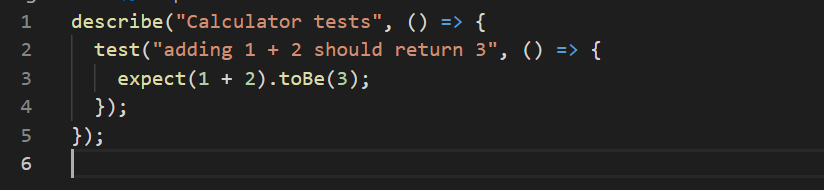
Let’s write some sample test cases first,
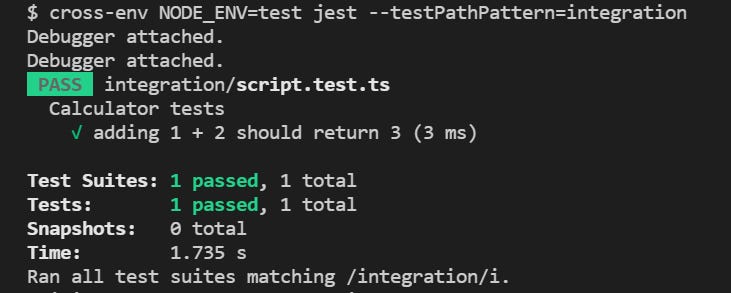
Output:
Integration test case
Let’s write the actual thing and do integration testing. Our scenario will be
The actual method is creating 2 users and 4 posts. So after the methods run we will see if those numbers are valid or not by querying to database
To do this, we first need to create jest.config.jsand setup.js file in your root project
jest.config.js
const path = require('path') module.exports = { preset: 'ts-jest', testEnvironment: 'node', setupFiles: [path.resolve(__dirname) + '/setup.js'],}setup.js
process.env.DATABASE_URL = "postgresql://<your-user>:<your-password>@localhost:5432/test";script.ts
remove the file level invocation of the code, so we could use await on some action
Let’s understand the process first,
We will mock the database first into some sample database, use that database to perform all the operations and finally dumb the database. setup.js will update the default variable from the .env file and you can push this file to the repository
Migrate the changes
Before doing the actual test, we first need to migrate the schema in the test database. You can do this manually by the command. This will load all the schema to the selected database
yarn prisma db pushWe will use same command into our workflow file
Export the client
This step is important, we need the same client to be in the test environment as the project. so export your client from the file
// before
const prisma = new PrismaClient()
// after
export const prisma = new PrismaClient()// at last line
export default mainNow, we can access the same client to test files.
Update test case to include beforeEach and afterAll
Now, we need to update the beforeEach and afterAll to use and empty the tables, like this
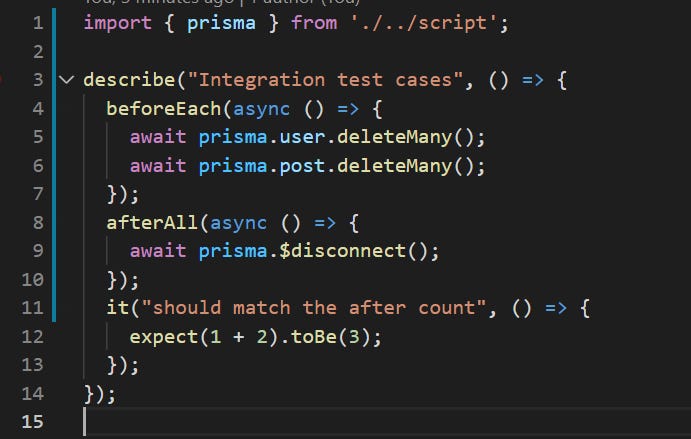
This should work same as the before since we haven’t updated the test case from it
An updated test case would look like this,
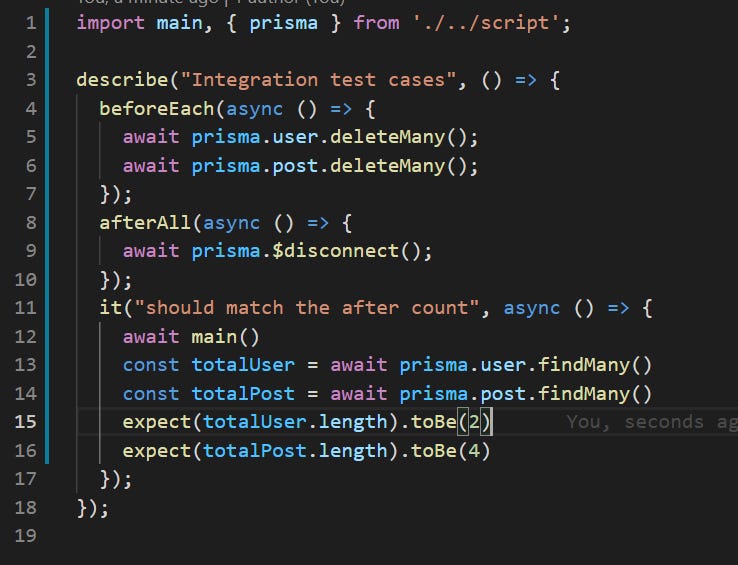
Here, we are checking if the number of posts and users are the same as we have just created inside the database.
This will mark our test case to be completed. All code till here is present on the branch integration
Automate the Integration testing
Let move to the good part, automating the stuff. First, we need to create a file named
.github/workflows/ci.ymlThere will be a few steps
Create the triggers
Connect to postgresQL container
export the variables
Run the test cases
For step I, we will update the .yml to the following
name: run integration testingon: push: branches: [main] pull_request: branches: [main, dev]You can have your triggers for the workflow.
Now let’s create jobs and containers, here is the output and how will it look,
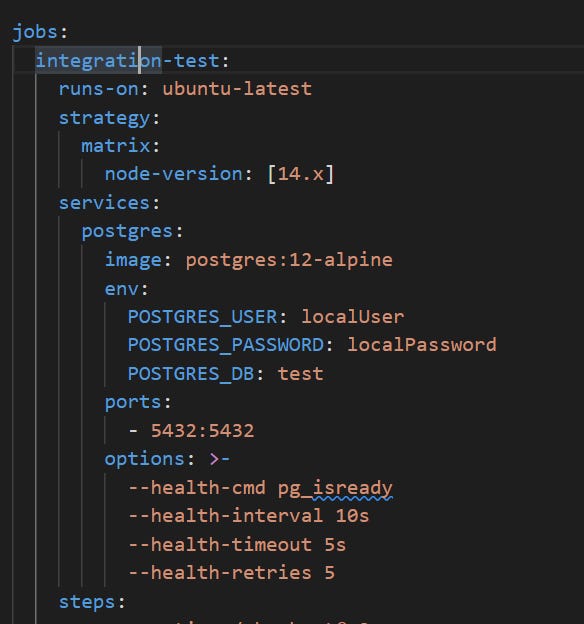
Here, we are connecting to the PostgreSQL container with an alpine docker image, you should read more from here
Make sure all the Postgres variables are the same as setup.js otherwise, things will go south. A few key things are
export the port so it will be available to the other actions jobs
only run commands after Postgres is successfully connected by setting up options key
Now, write the commands to run
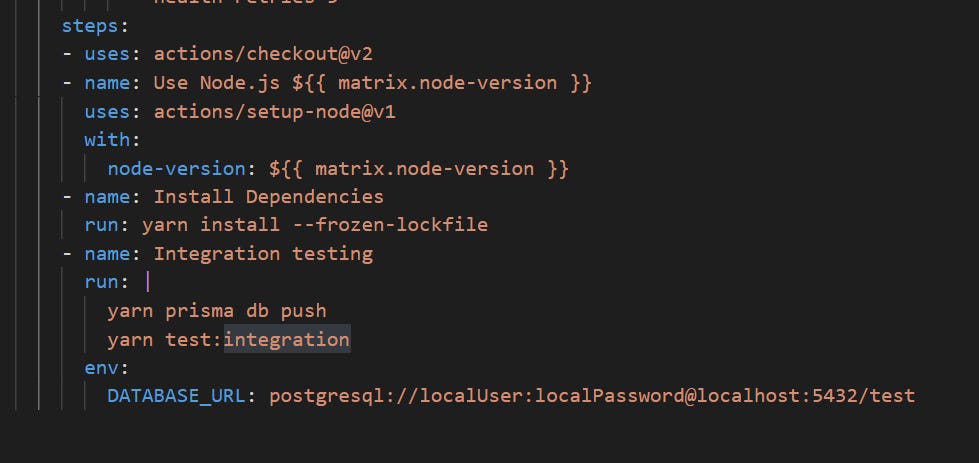
Notice, how we pass the DATABASE_URL to the command, it must be the same as the setup.js file to make items run seamlessly.
Now, if you see the action tab from the repo, you should see the output as follow
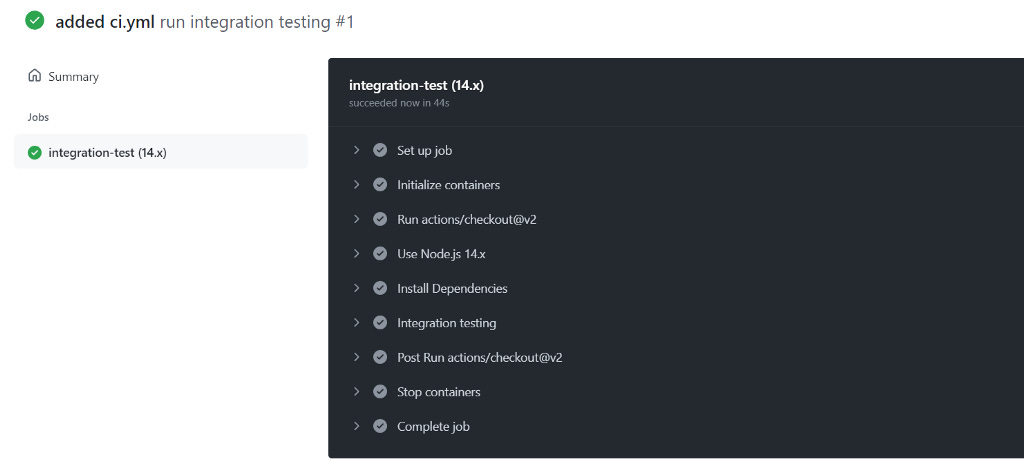
Conclusion
This is how you can set up your integration testing workflow. You can put the last item for any of your Postgres systems so you don’t need to worry about that.
I hope you like the article and get something new to learn. The entire source code is available on GitHub with branching out and does consider to subscribe my substack to get more content here
Integration testing with PostgresQL and GitHub action was originally published in JavaScript in Plain English on Medium, where people are continuing the conversation by highlighting and responding to this story.